

How it works
Two views of the same claim: the employee logging it through the month, and the admin approving it at the end. Neither one has to take the other's word for it — the numbers reconcile themselves in between.
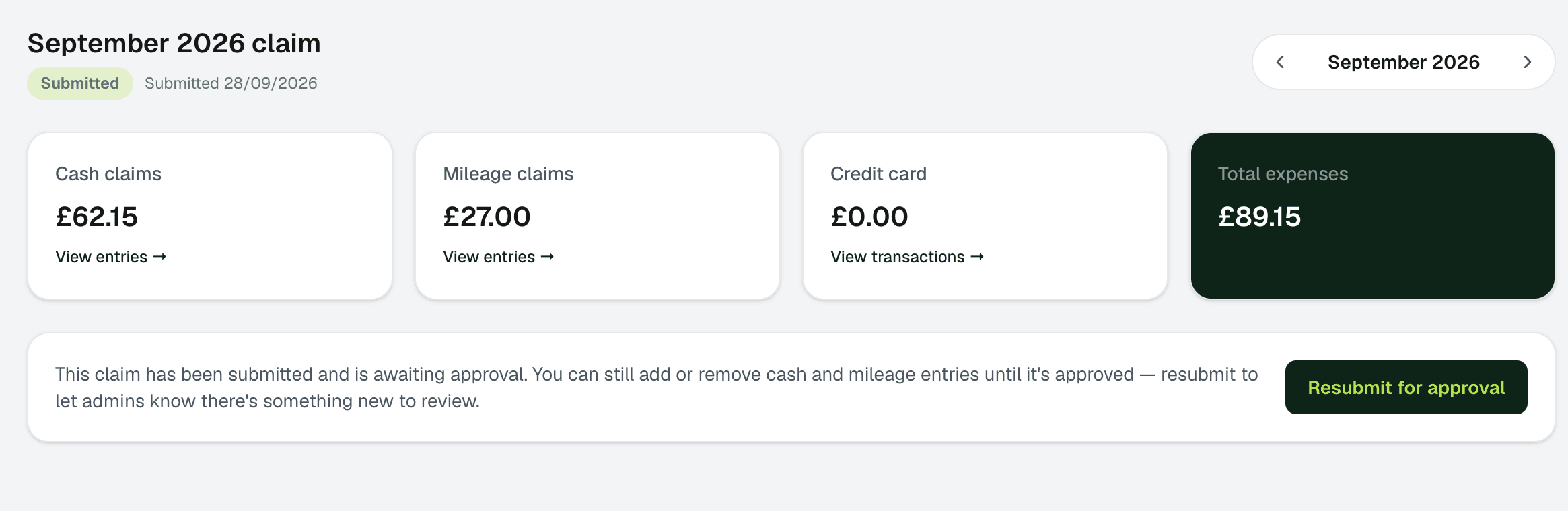
For employees: log spend as it happens, not at month end
- 1
Record cash and mileage as it happens
DraftA quick entry for a cash purchase or a mileage trip, the moment it happens — no shoebox of receipts to reconstruct later.
- 2
Import the card statement
At month end, the card statement uploads straight in and matches against what's already been logged.
- 3
Submit one complete claim
SubmittedOne click submits everything for the month. Status stays visible the whole way through — no wondering if it arrived.
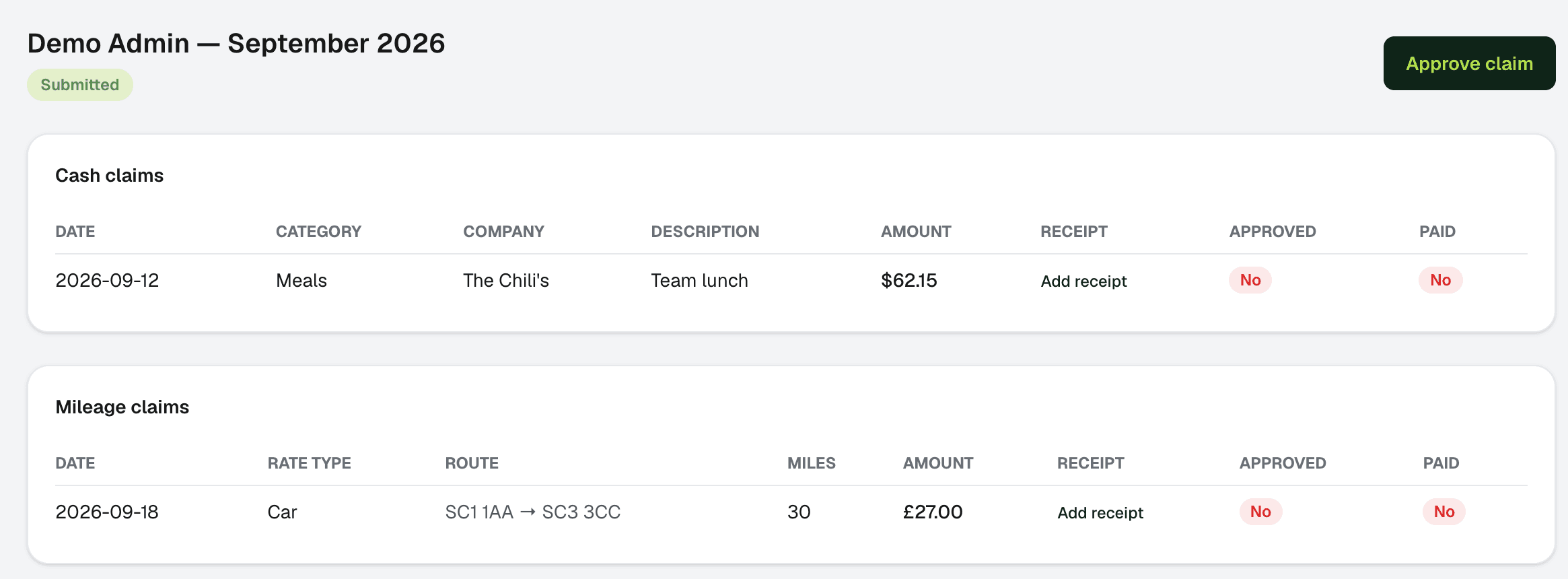
For admins: review a claim that's already been checked
- 1
Open the approval queue
Every submitted claim, already reconciled against its card statement, with nothing to check by hand.
- 2
Approve, or send it back
ApprovedApprove as submitted, or edit it — an edit to an approved claim reverts it cleanly to draft for resubmission, so nothing gets paid on a stale number.
- 3
Mark it paid
PaidThe claim locks, and it rolls straight into organisation-wide reporting by month, category, user, and department.
See your first claim through in under ten minutes
14 days free. No card required.